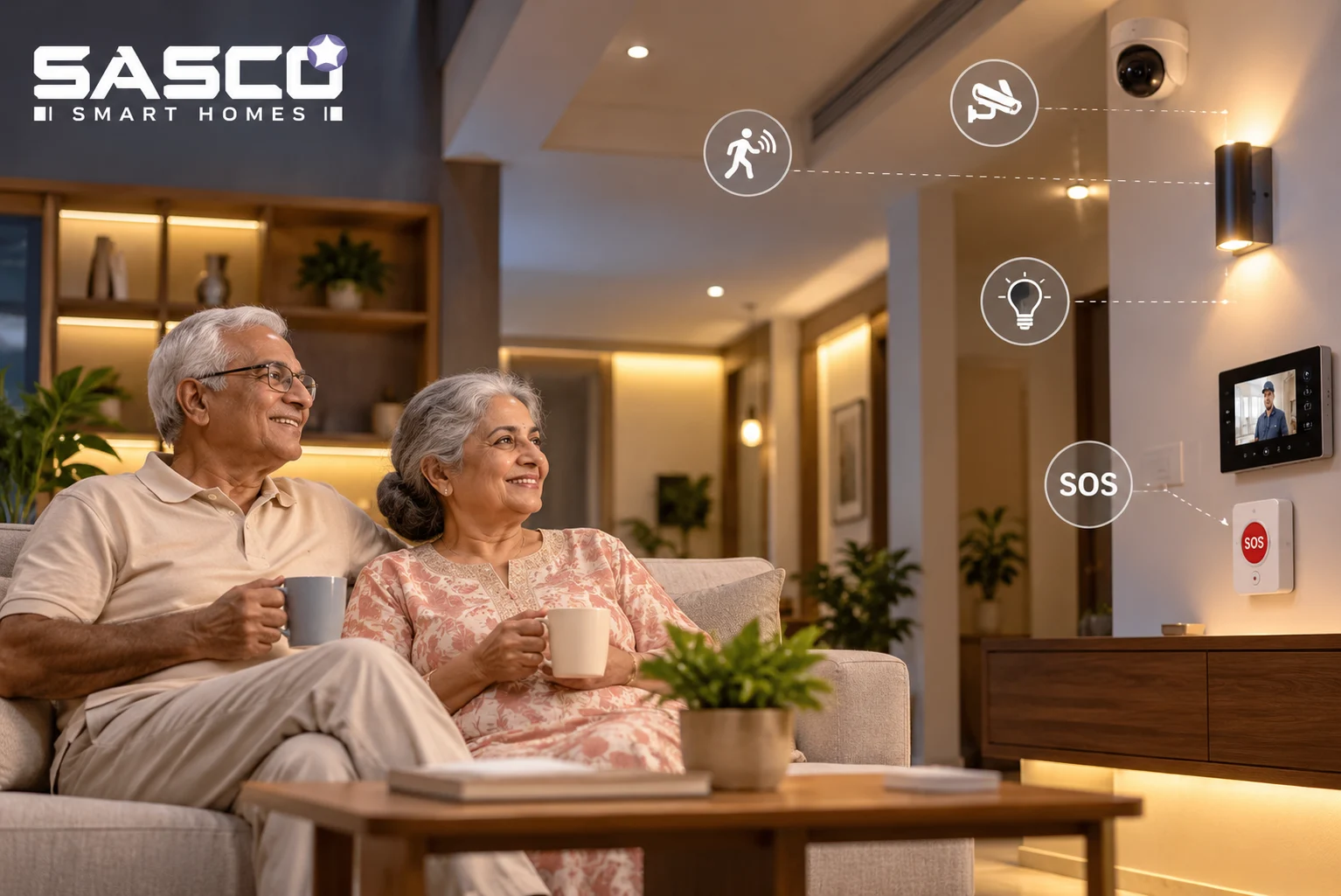
A smart home for elderly parents isn’t about gadgets. It’s about someone finding out fast when something goes wrong. 8:40 pm, a weeknight. You’re at a desk in Bengaluru, calling a flat in Pitampura. It rings. And rings. Twenty quiet minutes feel like a week.
So, no shopping list here. This guide goes after the stuff people skip: where risks hide in an Indian home, which devices matter, where setups quietly break, and how an alert should reach your phone. Good home automation for senior citizens mostly stays out of sight. The whole point is making ageing in place work, minus the feeling of being watched.
Why Ageing in Place Needs Backup
Some numbers first. The UNFPA’s India Ageing Report 2023 says people over 60 were about one in ten Indians in 2021. By 2036, roughly 15%. Over 20% by 2050. Call it 347 million people. The 80-plus folks? Their numbers almost quadruple between 2022 and 2050. And falls? LASI data says about one in eight Indians aged 60 and up had one in the previous two years. Women and people living alone, more so.
The fall is often not the worst of it. The wait is. That’s the “long lie,” the time spent on the floor before anyone knows. A BMJ study of people over 90 found that 80% of those who fell couldn’t get up alone at least once, and 30% stayed down for an hour or longer. So the real job of a smart home for elderly parents is shrinking the gap between the fall and the help.
Smart Home for Elderly Parents, Room by Room
Risk isn’t spread evenly across a home. It pools in four spots.
The Bathroom
Most Indian bathrooms are wet rooms. Shower on one side, toilet on the other, same slippery tiles in between. So start with automatic bathroom lighting on an occupancy sensor. Nobody should be patting the wall for a switch with soapy hands. Then the sneaky one, an “overstay timer.” Bathroom still occupied way past your parent’s usual window, say 25 minutes? The system pings you.
The Night Path
Bathroom runs at night. Groggy, lights off. Put motion sensor night lights down low, ankle level, bed to bathroom door. Go warm and dim, about 2700K. Nobody needs a tube light blasting them awake at 2 am. Cheap. Boring, even. Still the most underrated of all elderly safety devices.
The Main Door
A video door phone for elderly parents lets them see who’s outside before touching the latch, which stops plenty of doorstep scams early. Keypad smart lock, too. The cook or maid gets a temporary PIN. No more spare key under the mat, the first place anyone looks. A door sensor for late-night exits helps if a parent shows early signs of dementia.
The Kitchen
Indian kitchens run on LPG cylinders or PNG lines. Mostly. So that clever “smart plug switches off the stove” trick? Useless here. What works: a gas leak detector hooked to an automatic shut-off valve. Plus a smoke alarm nearby. Not right over the stove, though. Unless you like a siren every time someone tempers dal.
Elderly Safety Devices Worth Installing
Pick devices by what can go wrong. Not by what’s trending. That one rule is the difference between a smart home for elderly parents that still works years later and a drawer full of dead gadgets. Specialized elder-care gear in this section? Think of it as an add-on to a bigger system.
Fall Detection: Radar vs Wearable
A fall detection sensor comes in two main flavors. There are mmWave radar units on the wall or ceiling, and wearables like pendants and smartwatches. Wearables only work when worn and charged, which is a bigger “only” than most families expect.
| What matters | mmWave radar | Wearable | Camera |
|---|---|---|---|
| Privacy | High, no images | High | Low, records video |
| Charging | None, mains powered | Regular charging | None |
| Bathroom use | Yes | Only if waterproof and worn | Not appropriate |
| False alarms | Some, needs tuning | Some, from drops and quick sits | Depends on software |
SOS Buttons Within Floor Reach
Most guides stick the emergency SOS button at standing height. Lovely. Useless if you’re on the floor. So, a waterproof one, low, right by the commode. Another by the bed. Floor height, basically. Tiny change. Huge difference.
Linked Smoke and Gas Alarms
Smoke alarm shrieking in an empty flat. Who hears it? Nobody. Older ears miss plenty anyway, so link the alarms and have them buzz your phone too.
Home Automation for Senior Citizens, Simplified
Voice Over Apps
Most parents won’t open a third app to dim a light. Talk, though? That they’ll do. Happily. Hindi works fine with a voice assistant for seniors, and you can make it speak slower and louder for Mummy or Papa. Set up one “good night” routine. Say it once: lights off, door locked, night sensors up. Done.
Old wall switches? Leave them be. Speaker dies, power flickers, whatever. A plain switch still works in the dark.
Reminders That Confirm
A medicine reminder that just chimes? Easy to ignore. Pick one that wants an answer, like a spoken “done” or a little sensor on the pillbox lid. No reply in 30 minutes, and it goes to someone in the family.
Beating the Delhi Heat
Older people often don’t notice they’re overheating, or thirsty, until late. Bad news in a Delhi May. Smart HVAC rules can kick the cooling on once a room crosses a set temperature. Even on days your parents swear they’re fine.
Remote Monitoring Without Spying
Patterns, Not Cameras
Routines, not faces. That’s what a decent smart home for elderly parents keeps an eye on. First footsteps in the kitchen. The fridge door. Morning news blaring on the television. A remote monitoring app notes that sort of thing, quietly. The clue is what doesn’t happen. That’s when your phone buzzes.
| Time | Typical day | Flagged day |
|---|---|---|
| 6:30 am | Bedroom motion, bathroom light on | No motion |
| 7:15 am | Kitchen motion, fridge opened | No motion |
| 8:30 am | Television on | Still quiet |
| 9:00 am | Nothing sent | Alert goes to family |
Consent Comes First
Ask your parents first. Let them pick what gets tracked. Cameras in bedrooms or bathrooms? No. Full stop. And send caregiver alerts to more than one person: a sibling, a neighbor you trust, the building guard.
Where Safety Setups Fail
A gadget that works on demo day is a device. A setup that still works during a power cut at 3 am is a safety system.
Power Cuts
Delhi summers bring outages, and a dead router means silent sensors. Put the hub and router on a UPS or inverter line, then add a 4G or LTE backup so alerts still leave the house when the broadband doesn’t.
Silent Dead Batteries
Most home automation for senior citizens doesn’t fail loudly. A sensor with a dead coin cell just goes quiet. So ask for daily “heartbeat” checks. And put a monthly battery reminder on your own phone.
Alert Fatigue
Too many false alarms and families start swiping alerts away unread. That’s how perfectly good elderly safety devices end up ignored. The fix: tune thresholds for the first two weeks, until alerts match a normal day in that house.
The Unworn Pendant
Back to that BMJ study. Call alarms were right there. Most people stuck on the floor for a long time still didn’t use them. Pendants live in drawers. On bedside tables. Anywhere but around a neck. So pair any wearable emergency SOS button with a passive fall detection sensor, one that raises the alarm with nobody pressing anything.
How Alerts Should Escalate
All your elderly safety devices should report to one hub. One. Not five apps nobody opens. One hub, one set of rules, one clear chain for caregiver alerts.
Something trips a sensor. A fall, a long bathroom stay, a too-quiet morning, a gas leak.
The smart speaker asks, “Are you okay?” They answer? It stops right there.
Silence for 60 seconds. The alert goes to the main family contact.
Nobody responds in 5 minutes. Next up, the neighbor or the building guard.
Still nothing? Someone calls 112.
Home automation for senior citizens is only as good as that chain. So test it. Once a month, before real life does it for you.
Why Families Choose Sasco Smart Homes
A smart home for elderly parents works best with one team behind it. Same people plan it, install it, and pick up the phone afterward. For families across Delhi NCR, that’s Sasco Smart Homes. They know the local headaches, too. Power cuts included.
From the Pitampura office, Sasco handles full home automation. Smart lighting control, smart locks, HD cameras, sensors. Smart HVAC as well. Architectural lighting. Audio visual solutions. Rather shout than tap? It all runs on Alexa, Google Assistant, or Apple HomeKit. Bigger projects? Sasco works with professional platforms from brands like ABB, KNX, and Control4. Step one costs nothing: a free consultation. Next, a plan sized to your rooms and budget. Then professional installation, and support after that.
In Conclusion
Jargon aside, a smart home for elderly parents has two jobs, really. Get help there faster. Let Mummy and Papa keep running their own house. Small, sensible pieces, set up right. That’s what makes ageing in place a plan, not a prayer.
Want to start? Ring Sasco Smart Homes for a free consultation. Or drop into the Pitampura showroom and fiddle with the demo yourself. Next unanswered call? Hopefully it ends in a calm text. Not a racing heart.
Acronyms Used
Full forms of the acronyms used above.
| Acronym | Full form |
|---|---|
| UNFPA | United Nations Population Fund |
| LASI | Longitudinal Ageing Study in India |
| BMJ | British Medical Journal |
| mmWave | Millimeter Wave |
| K | Kelvin, the unit used for the color temperature of light |
| PIN | Personal Identification Number |
| LPG | Liquefied Petroleum Gas |
| PNG | Piped Natural Gas |
| HVAC | Heating, Ventilation and Air Conditioning |
| UPS | Uninterruptible Power Supply |
| LTE | Long-Term Evolution |
| 4G | Fourth Generation (mobile network) |
| HD | High Definition |
| ABB | Asea Brown Boveri |
| KNX | Not an abbreviation; the name of an open building-automation standard |
| NCR | National Capital Region |
| SOS | No official full form; a Morse code distress signal later nicknamed “Save Our Souls” |
FAQs
1. Which elderly safety devices should parents get first?
Motion sensor night lights on the route to the bathroom, plus a waterproof emergency SOS button mounted low by the toilet and bed.
2. Can home automation for senior citizens work for tech-shy parents?
Yes. A voice assistant for seniors that understands Hindi means they never have to touch an app.
3. Can a smart home for elderly parents work without cameras?
Yes. Motion sensors and a remote monitoring app send caregiver alerts only when the usual routine breaks.
4. Do elderly safety devices need to be worn?
Not always. A passive fall detection sensor raises the alarm even when the pendant is sitting in a drawer.
5. Does home automation for senior citizens work during power cuts?
Only if the hub and router run on a UPS or inverter, with a 4G backup so caregiver alerts still go out.